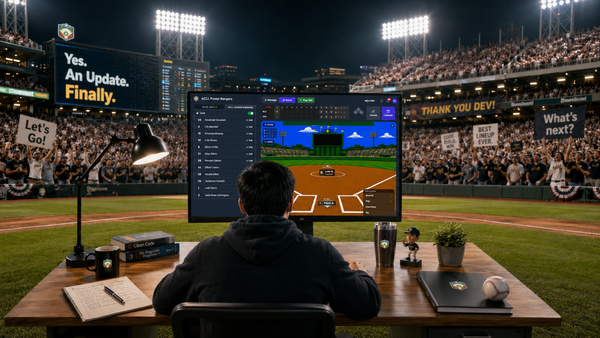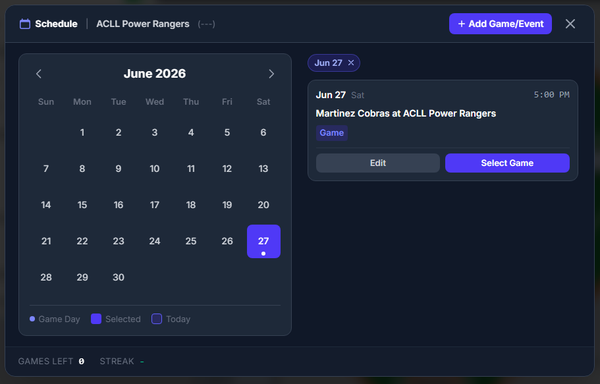
Updates Made To Lineup UI - Substitutions


This release is primarily a deep investment in the mobile lineup experience, touching nearly every surface a coach interacts with on their phone.
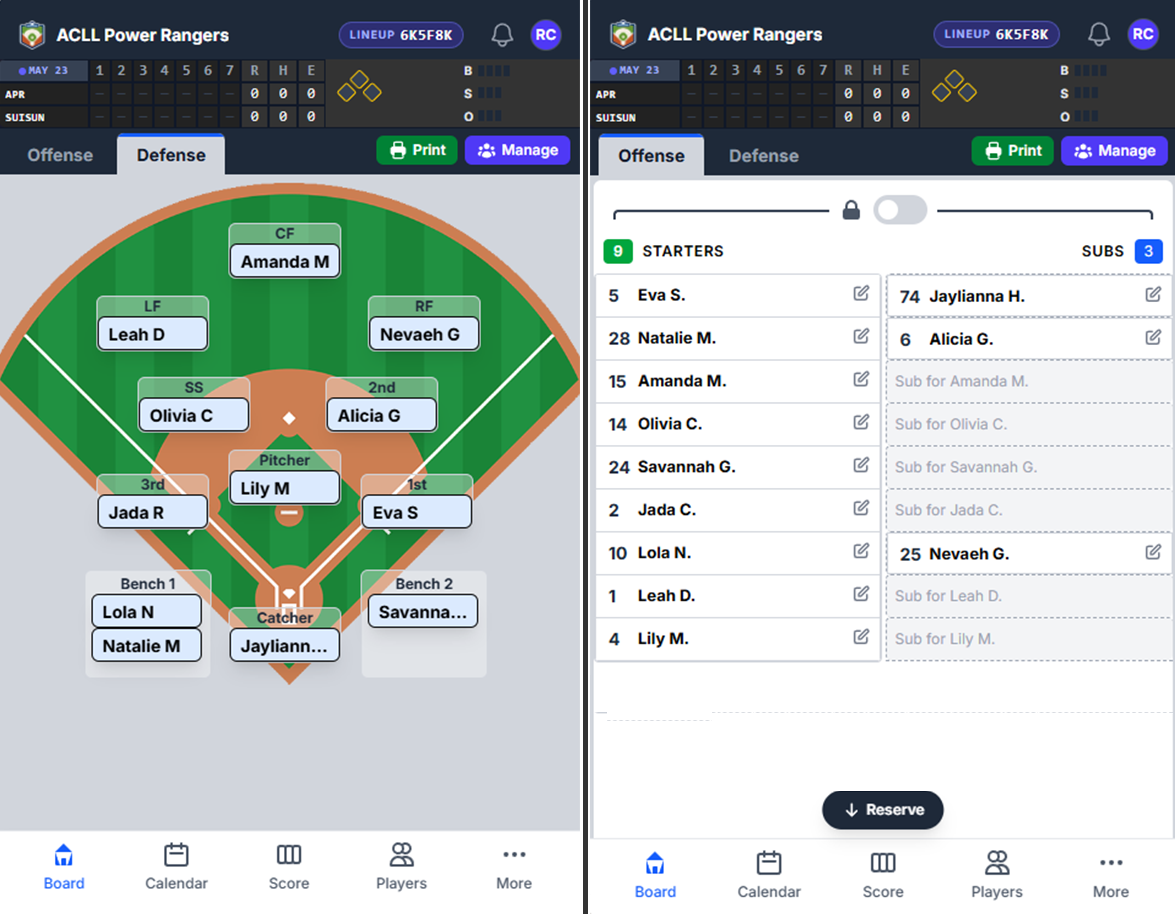
Before we proceed, let's mention that there is a mobile app in use today - it's by invitation only. But within the month, we will have it ready in the App Store very soon.
New tab row design. The Offense and Defense controls have been redesigned from pills into proper tabs — each with an accent bar above the label and a background that matches the content behind it. Print and Manage buttons now live inside this row and remain accessible regardless of which tab is active, so coaches never have to switch tabs just to print a lineup.
Widened lineup table. The substitution lineup table now uses the full available width on mobile, giving names and controls room to breathe instead of being compressed into a narrow column.
Jump-to-Reserve button. On the Offense tab in substitution mode, a floating "Jump to Reserve" button now appears automatically when the Reserve section scrolls out of view below the mobile navigation bar. Tapping it scrolls smoothly to Reserve using a custom eased animation — reliable in Capacitor/WKWebView where the browser's native smooth scroll is inconsistent. People were complaining that there was even a Reserve section. They couldn't see because there wasn't even a scroll indicator or that it was too subtle on their phones.
BSO indicator redesign. The Balls/Strikes/Outs indicators in the mini-scoreboard now render as crisp custom PNG icons on mobile instead of CSS dots, with a tighter grid layout that gives the base diamond a fixed slot and lets the BSO column flex to fill the remaining space.
Changes For Tablets
Lineup Zoom For Substitution Tables
Yes. For The Tablet - Finally. Tablet users now have a Zoom button in the Lock header that eases the lineup card to 1.3× scale using a smooth in-place transform animation — the same style as the MainField zoom. A backdrop dims the rest of the screen, and tapping it eases back out symmetrically.
Compact row heights. Mobile draggable items, sub-slot landing zones, and Reserve rows are each slightly more compact, keeping more of the lineup visible without scrolling.
Team name in headers. Both the desktop and mobile headers now display your team name (linked back to home), instead of the generic "BenchBoard" label.
Substitution Mode Improvements
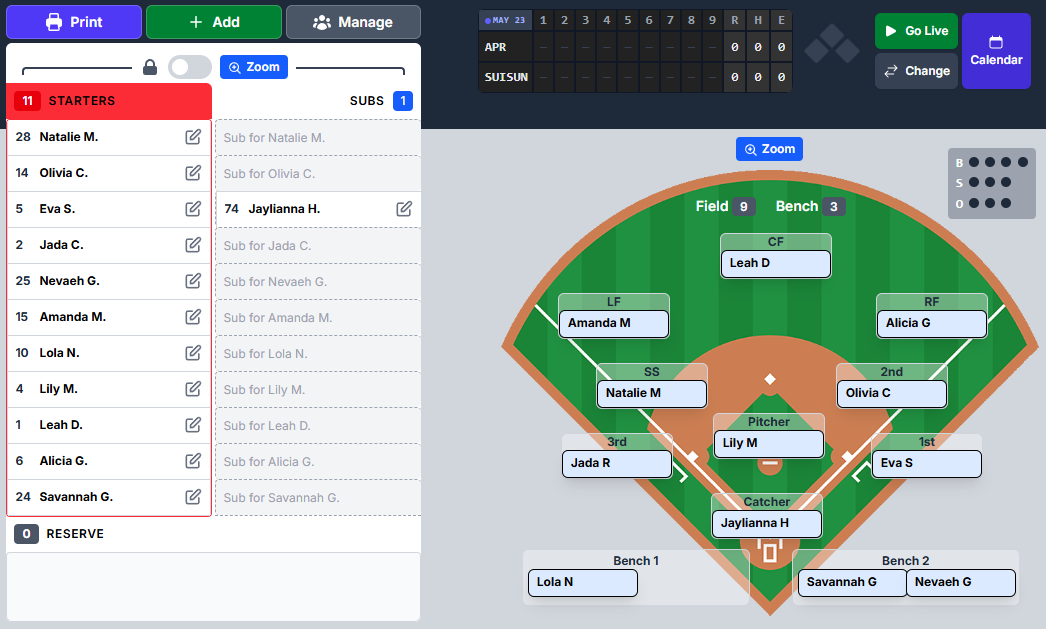
Starter count validation tightened. The valid starter range is now 8–10 (down from 8–12). Attempting to lock a lineup with 11 or more starters is now blocked with a clear error message, and the starters group turns red when the count falls outside the valid range.
Defense violation detection. In substitution mode, Reserve players are not allowed to hold a field defensive position — only Starters and Subs can. Violating players are now flagged with a red icon in both the lineup and on the field, accompanied by a dismissible warning banner. Coaches can acknowledge the warning (for umpire exceptions) and it will re-arm if a new violation appears.
Direct drag to sub slots. Starters can now be dragged directly into empty substitution slots rather than having to move them to Reserve first. The lineup renumbers automatically and the slot pairs correctly even after batting-order shifts.
Auth & Stability

Login resilience. The authentication flow now handles edge cases in refresh token cookie writes more gracefully, preventing rare 500 errors during login on fresh environments. In English, logins work way better.
Strike registration fix. Pitches recorded as strikes now register correctly through the pitch panel navigator.
Cross-user localStorage leak fixed. Switching accounts on the same device no longer risks carrying over session state from a previous user.
Polish

- Account page action buttons (Update, Change Password, Billing, Leave/Cancel) are slightly more compact (
px-3 / text-sm). - Drag handle cursor and touch-action are now scoped to the grip icon only, preventing accidental drag initiation elsewhere in a row.
- Notification bell panel wired to activity modal and announcements.
- Settings description for Traditional Substitutions wraps more cleanly on narrow screens.